Code a tool
Have programming skills? Prefer to make an impact behind the scenes? Building a tool is a powerful way to contribute—turn your code into civic change. Coding a tool to help people understand democracy makes the process more accessible, engaging, and empowering. Rather than reading dry explanations, users can interact with simulations, games, or visualizations that break down how voting systems work, how policies are made, or how civic participation shapes outcomes. This hands-on approach deepens understanding, encourages informed action, and helps combat confusion or misinformation. In a time when trust in institutions is low, tools like these can help people feel more connected to—and capable within—the democratic process.

Some handy videos
Helpful steps
Define the purpose and audience. Decide who the tool is for and what it’s meant to help them do—understand ballot questions, compare candidates, or navigate voting logistics.
Choose a clear scope. Limit the tool to a specific thing, to keep it focused and usable.
Gather reliable information. Pull from official ballots, government websites, nonpartisan organizations, and primary sources whenever possible.
Translate complexity into plain language. Rewrite dense or technical content into clear, neutral explanations without telling people how to vote.
Design for readability and accessibility. Use headings, visuals, summaries, and consistent structure so people can quickly find what they need.
Check for neutrality and clarity. Review the guide for unintentional bias, confusing phrasing, or missing context.
Test with real people. Share it with a few people from your intended audience to see what’s helpful or unclear.
Update and share responsibly. Keep information current and distribute it where your audience already looks for election info.
Calm-brains mode
Attempt building bridges, not comment wars!
It’s also important to know when to slow down or step away. If emotions rise, acknowledge them and suggest a pause instead of pushing harder. You don’t need to respond to every claim or correct every fact in the moment—sometimes planting a thoughtful question is more effective than delivering a rebuttal. Focus on long-term trust rather than immediate agreement. A respectful exchange won’t always change minds on the spot, but it can open space for reflection and make future conversations more honest, safer, and more productive.
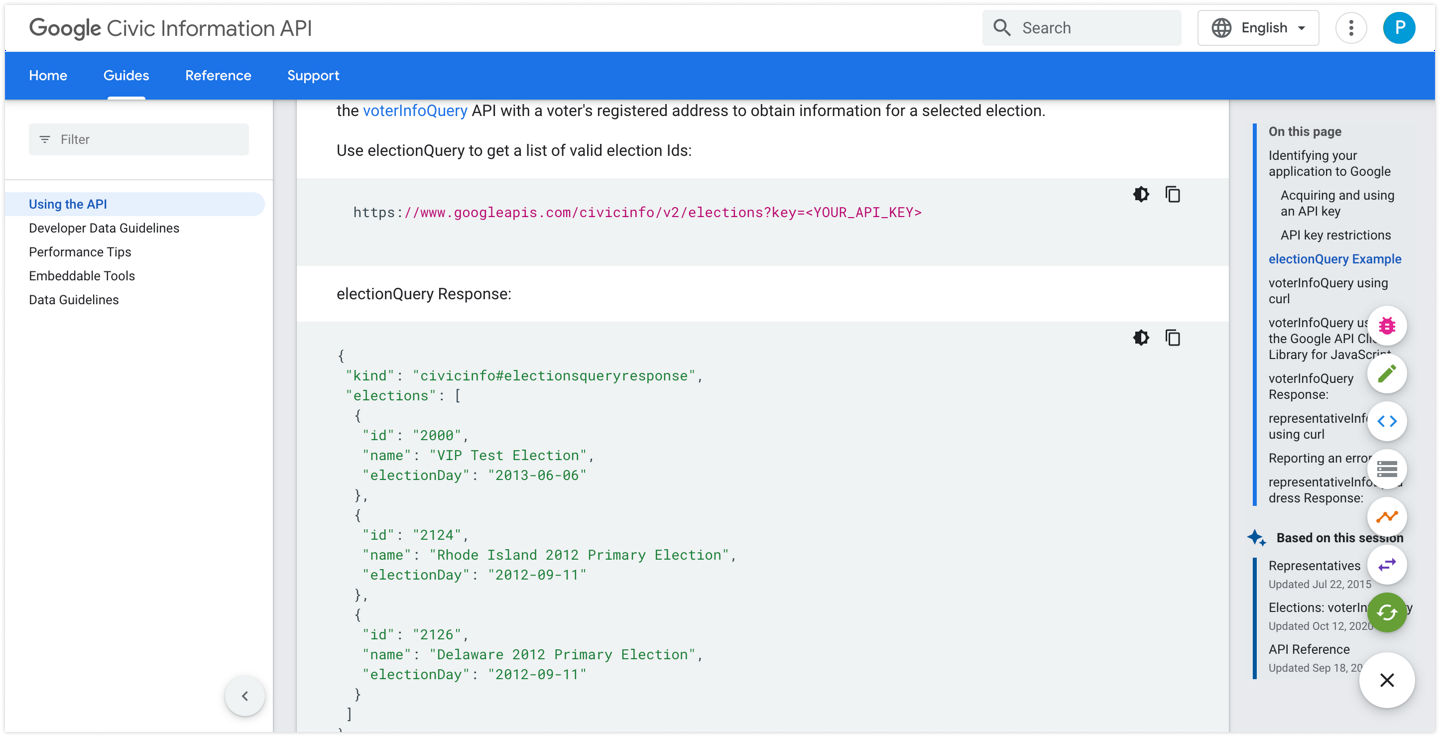
What is the Civic Information API?
The Google Civic Information API lets developers build applications that display Civic information to their users. For any US residential address, you can look up the Open Civic Data identifiers that represent the address at each elected level of government. During supported elections, you can also look up polling places, early vote location, candidate data, and other election official information.
The data is based on the political geography of a citizen’s address. This address indicates where a citizen is eligible to vote and who represents them. There are many U.S. elections throughout the year, and both election information and political geography can shift with time. Google assigns every election available in the API an election ID, and the information associated with that ID is intended to be accurate for that election only.
The service is free for data providers, users who access this information, and third parties who use our apps to display civic information on their site. Once you register your project in the Developers Console, you may make up to 25,000 queries per day. If you need additional quota, use the Quotas page in the Developers Console for your project to make a request.
https://developers.google.com/civic-information
Resource Materials
5 Calls – Helps you find your representatives’ contact info and scripts for calling or writing them, which can inform civic sections of a guide. 5 Calls
Vote.org – Comprehensive voter information including registration, absentee ballots, deadlines, and election details for every state. Vote.org
VOTE411 – A one-stop election info hub from the League of Women Voters where voters can look up their ballot, check registration, and learn about candidates. VOTE411.org
Vote Smart – Nonpartisan data on candidates and elected officials, including biographies, voting records, and issue positions to help inform your guide content. Vote Smart
Ballotpedia – A nonprofit election encyclopedia covering federal, state, and local elections, ballot measures, and policy background for inclusion in a guide. Ballotpedia.org

How can you to be involved?
Help us raise awareness—explore creative ideas, learn more,
or support the work through our emporium.